
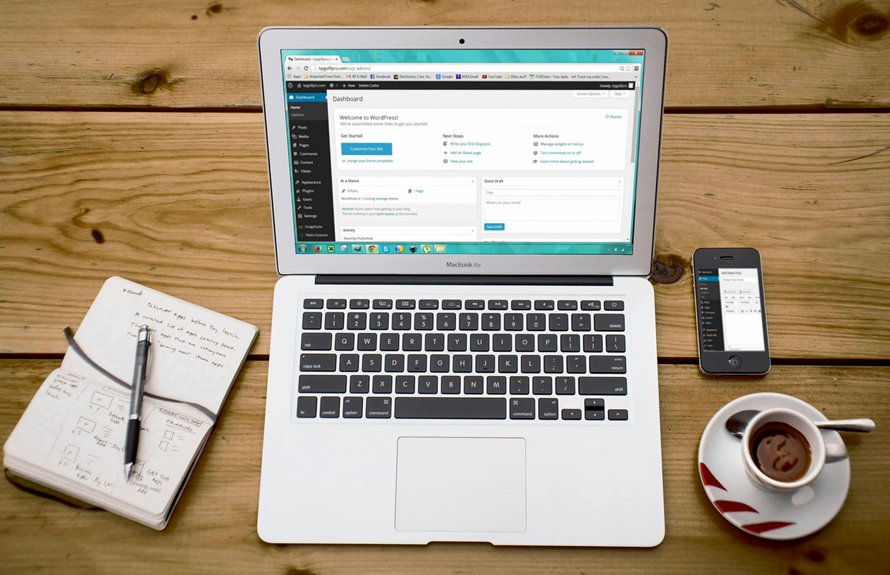
You can learn the basics of WordPress development in about 10 to 14 focused hours, usually within a couple of days. Building solid skills with themes, plugins, and page builders like Elementor typically takes a few weeks to a couple of months. Advanced WordPress development, including custom themes and plugins, usually takes six months or more.
Key Takeaways
- Basic WordPress use can be learned in about 10 to 14 focused hours, often within two days.
- Comfortable theme, plugin, and page builder skills usually take about one to two months of steady practice.
- Elementor basics can often be learned in about 2 to 5 days with focused practice.
- Advanced WordPress development typically takes at least six months, and often one to two years.
- Prior CMS experience can shorten the learning curve by making dashboards, content editing, and workflows feel familiar.
How Long Does WordPress Development Take?
How long WordPress development takes depends on what you want to learn.
If you only need the basics, you can reach useful confidence in about 10 to 14 focused hours, often within two days.
If you want stronger control over themes, page builders, and site structure, plan for one to two months of steady practice.
For advanced customization, custom themes, plugins, and integrations, you may need six months or more.
Your learning timelines will also change based on prior experience, daily practice, and training format.
Set realistic milestones so you can measure progress without guessing.
As you move forward, your skill progression should go from navigation and content tools to customization, then to consistency and coding-based development.
WordPress Basics in Your First 10 Hours
In your first 10 hours with WordPress, you can learn the essentials: logging into the dashboard, creating pages and posts, choosing a theme, and managing basic plugins. During First Setup, you’ll install WordPress, confirm your site settings, and understand where key tools live. Theme Basics help you see how design affects layout without coding. Content Editing lets you add text, images, and links while keeping your pages clear and organized. For a simple view of your progress:
| Skill | Result |
|---|---|
| First Setup | Site is ready |
| Theme Basics | Visual style is set |
| Plugin Workflow | Tools stay manageable |
This early practice gives you confidence and prepares you for deeper learning later.
Master the Dashboard, Themes, and Plugins
Once you’ve handled the first setup tasks, you can start making WordPress feel familiar by mastering the dashboard, themes, and plugins.
You’ll learn where to create posts, manage pages, and adjust settings, which builds a reliable Dashboard workflow.
Next, explore plugin fundamentals so you can add contact forms, backups, and SEO tools without breaking your site.
At the same time, practice theme customization to change layouts, colors, and menus while keeping your design consistent.
As you work, aim for editor mastery by understanding blocks, media, and headings.
You should also review user roles so you know who can edit, publish, or administer content.
Finally, build simple maintenance practices, like updates and backups, to keep your site stable and secure.
How Long Does WordPress Take to Learn With Elementor?
With Elementor, you can pick up the basics in just a few days of focused practice, especially if you want to build simple pages fast.
You’ll likely move through design tasks more quickly because the visual editor cuts out a lot of manual setup.
If you already know some HTML or web design, you’ll learn even faster and start building with more confidence.
Elementor Learning Basics
Elementor can speed up your WordPress learning curve, and you can usually get comfortable with the basics in about 2 to 5 days of focused practice.
You’ll start by exploring Elementor templates, then use drag and drop controls to build pages without code.
As you practice, you’ll learn how responsive editing helps you adjust layouts for phones, tablets, and desktops.
That early progress gives you a clear design workflow and helps you understand how WordPress pages come together.
- Start with one page and change simple sections.
- Test spacing, fonts, and images on different devices.
- Rebuild a template to reinforce what each tool does.
If you practice daily, you’ll move from confusion to confidence quickly.
Faster Design Workflow
A faster design workflow is one of the biggest reasons Elementor shortens the WordPress learning curve, because you can start building real pages instead of spending days wrestling with code.
You drag sections, edit text, and see changes instantly, so you learn by doing.
With design templates, you can launch a polished layout in minutes, then customize colors, fonts, and spacing as you go.
That speed means you usually grasp the basics in two to five days if you focus, instead of waiting weeks to understand every technical detail.
Elementor also reduces trial and error when you follow smart plugin recommendations for forms, SEO, and performance.
You still need practice, but the workflow keeps you moving and makes WordPress feel far more approachable for beginners.
What Counts as Intermediate WordPress Skills?
Intermediate WordPress skills usually mean you can do more than publish posts and pick a theme—you can customize a site with confidence. You’ll adjust layouts, work with page builders, and manage forms without needing step-by-step help.
You also start thinking about Plugin Security and how each extension affects the site’s stability. At this level, you can handle common tasks that make a site feel tailored and reliable.
- Update themes and child theme settings
- Configure plugins and troubleshoot conflicts
- Connect tools through simple API Integration
You don’t need deep coding yet, but you should understand how design choices, security, and integrations shape performance. If you can solve routine problems, explain your changes, and keep the site organized, you’re likely past the beginner stage and moving into practical, intermediate work.
How Long Does Advanced WordPress Development Take?
Advanced WordPress development usually takes at least 6 months, and often 1 to 2 years, because you’re moving beyond site setup into custom themes, plugins, PHP, hooks, and API integrations. You’ll need time to write an Advanced plugin, build a custom API Integration, and apply security hardening and performance tuning without breaking sites.
| Stage | Focus | Time |
|---|---|---|
| Core coding | PHP, hooks, templates | 2–4 months |
| Build work | Themes, plugins, APIs | 4–8 months |
| Hardening | Security, speed, testing | 1–3 months |
| Professional level | Complex client work | 1–2 years |
If you already know HTML, CSS, or programming, you may move faster. Still, you’ll need repeated practice to understand WordPress architecture, debug issues, and deliver reliable custom solutions.
What Speeds Up WordPress Learning?
- Set aside daily time for hands-on tasks.
- Build small pages instead of reading endlessly.
- Use guided lessons to avoid wasted effort.
When you repeat real tasks, you move faster through dashboard navigation, content editing, and basic design choices.
That steady repetition builds confidence, reduces confusion, and helps you retain skills longer.
Which Prior Experience Helps Most?
If you already know HTML and CSS, you’ll usually pick up WordPress themes, layouts, and basic customization much faster.
Prior experience with Drupal, Joomla, or another CMS also helps because you already understand content management, menus, and admin workflows.
That background can cut your learning time and make the jump to WordPress feel much smoother.
HTML And CSS Help
HTML and CSS knowledge helps the most because it lets you move past basic WordPress use and into real customization much faster. You’ll understand how themes are built, so you can adjust layouts, spacing, and typography without guessing.
That means you can work through CSS customization with less frustration and make responsive basics feel natural instead of confusing.
- You can inspect elements and fix small design issues quickly.
- You’ll tweak theme styles instead of waiting for a developer.
- You can follow tutorials and understand why changes work.
With this background, you’ll usually learn WordPress development faster than someone starting from scratch.
It won’t replace deeper coding, but it gives you the clearest path into practical site building, theme editing, and confident visual control.
Prior CMS Experience
You’ll recognize menus, content structures, and admin tasks faster, so your onboarding feels shorter.
When you compare onboarding, you may see prior timelines shrink from weeks to days for basic dashboard work and content editing.
If you’ve managed another CMS, you’ll adapt your workflow more easily, especially around publishing, media, and user roles.
Still, WordPress has its own blocks, plugins, and theme setup, so you shouldn’t assume every process matches.
Use CMS migration tips to map content, check permalinks, and test layouts before launch.
That way, you build confidence quickly and avoid relearning simple tasks later.
Frequently Asked Questions
Can I Learn WordPress Development Without Any Coding Background?
Yes, you can learn WordPress development without any coding background by starting with beginner WordPress tutorials, a structured learning roadmap, and hands-on practice with the WordPress dashboard, themes, and plugins. To grow into advanced WordPress development, it helps to learn HTML, CSS, and PHP.
Is Gutenberg Harder to Learn Than Elementor?
No, Gutenberg is not necessarily harder to learn than Elementor. Gutenberg blocks can feel more challenging at first because you build layouts with native WordPress tools, while Elementor’s drag-and-drop editor often feels easier and quicker to learn. For many users, the best WordPress page builder depends on whether they prefer native editing or visual design.
How Many Hours per Day Should I Study WordPress?
For steady WordPress learning, study about 2 hours a day. This routine supports consistent WordPress practice, faster skill growth, and better retention. If you want to learn WordPress faster, add 1 more hour of focused hands-on practice.
Does Prior Drupal Experience Help With WordPress?
Yes, prior Drupal experience can help with WordPress because both are content management systems. Drupal users often adapt faster to WordPress themes, plugins, and content structure. This experience can make WordPress development and site management easier to learn.
What Skills Should I Learn After Mastering Plugins and Themes?
After mastering plugins and themes, learn WordPress Custom Hooks, the WordPress REST API, Block Patterns, and performance tuning. These skills help you build custom functionality, integrate third-party services, create reusable block layouts, and improve WordPress site speed, security, and maintainability.
References
- https://www.agitraining.com/wordpress/classes/how-long-to-learn-wordpress
- https://wpbrigade.com/how-long-does-it-take-to-learn-wordpress/
- https://www.nobledesktop.com/learn/wordpress/how-long-does-it-take-to-learn-wordpress
- https://eggplantdigital.cn/how-long-does-it-take-to-learn-wordpress/
- https://www.youtube.com/watch?v=rNnL1ZEHz8o
- https://www.scalahosting.com/blog/how-long-will-it-take-me-to-learn-wordpress/