
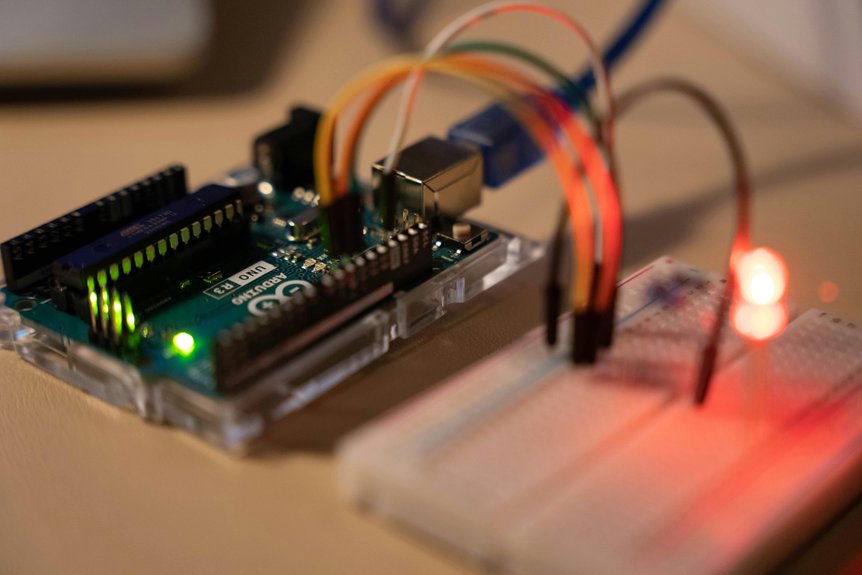
You can learn the basics of Arduino programming in 1 to 2 months if you are starting from zero, or in 1 to 3 weeks if you already know some coding. The fastest way to learn is by practicing daily with simple projects like blinking an LED, reading a button, and using built-in examples. Consistent hands-on practice matters more than theory.
Key Takeaways
- Absolute beginners usually need about 1–2 months to feel comfortable with Arduino basics.
- With prior coding experience, Arduino fundamentals can be learned in 1–3 weeks.
- Daily, consistent practice shortens learning time more than occasional cramming.
- Using Arduino IDE examples and small projects speeds up understanding and first results.
- Beginners should expect extra time for IDE setup, wiring, debugging, and troubleshooting.
How Long Does It Take to Learn Arduino Programming?
If you’re new to coding, expect one to two months to write simple sketches confidently.
You’ll learn fastest by using examples, then moving into Projects for Beginners like blinking LEDs, reading buttons, and controlling buzzers.
These small tasks teach you syntax, wiring, and logic without overwhelming you.
With steady daily practice, you can build competence in two to three months and start adapting code on your own.
Prior programming experience can shorten that path, but even without it, you can progress quickly when you repeat exercises, test ideas, and learn from each result. consistency is the biggest predictor
How Long Arduino Takes for Complete Beginners
If you’re starting from zero, Arduino usually takes about one to two months to become comfortable with the basics, and a few hours a day of steady practice can speed that up.
With a beginner mindset, you’ll move faster when you focus on small wins instead of perfect code.
Start with setup, then build simple sketches, blink an LED, and read a sensor.
Each project gives you hands on practice and clear learning milestones.
You’ll also need basic troubleshooting, since errors and wiring issues teach you how the system works.
If you repeat examples, test changes, and note what each line does, you’ll build confidence quickly.
Most complete beginners don’t need advanced math; they need patience, curiosity, and steady repetition to progress.
How Fast Experienced Programmers Learn Arduino
With prior coding experience, you can usually grasp Arduino basics in one to three weeks, and sometimes faster if you’ve got a good teacher or strong self-study habits.
You’ll recognize loops, conditionals, functions, and variables quickly, so the main job becomes adapting your mindset to hardware.
Arduino’s C++-based syntax feels familiar, and solid C++ passage tips help you move from desktop code to microcontroller code without friction.
You’ll also want to build embedded debugging habits early: check wiring, test one sensor or output at a time, and use serial prints to trace behavior.
Because Arduino encourages small, practical examples, you can learn by building, not just reading.
That makes your progress feel immediate, and it lets you turn existing programming skill into working projects fast.
What Changes Your Arduino Learning Timeline?
Your prior coding experience can speed up Arduino learning because you already understand core logic and syntax.
If you’re new to programming, you’ll likely need more time to get comfortable with the IDE and writing code.
The more hours you practice each day, the faster you’ll build skills and move from basics to small projects.
Prior Coding Experience
If you already understand variables, loops, and conditionals, you’ll recognize the logic inside sketches faster, and the learning curve will feel much gentler.
Your code familiarity also helps you read examples, spot patterns, and adapt existing programs instead of writing everything from scratch.
Even if Arduino uses a slightly different setup, you can usually pick up its syntax and structure in a short time.
If you’ve worked with C or C++, the shift often feels straightforward, since many core concepts carry over.
That means you can spend more time solving hardware problems and less time figuring out basic programming ideas.
Daily Practice Time
How fast you learn Arduino often comes down to how much time you practice each day. If you work in short, focused bursts, you’ll build skills faster than if you cram once a week. Practice consistency helps you remember syntax, wiring, and debugging steps, while timeboxed sessions keep you from drifting.
- Spend 30 to 60 minutes daily on examples.
- Repeat one small project until it works without help.
- Review mistakes right after each session.
With steady effort, you can move from setup to simple programs in weeks, not months. If you already know coding, even less time may be needed. The key is regular hands-on work, because Arduino sticks when you keep using it.
Which Arduino Courses Are Worth Your Time?
The best Arduino courses are the ones that get you building quickly, not just reading theory.
Course quality matters, so look for clear explanations, working examples, and feedback that helps you fix mistakes.
You’ll get more from structured project learning than from long lecture-only lessons, because each project teaches code, wiring, and debugging together.
A good beginner course should walk you through setup, then guide you through a few small builds, like blinking LEDs and reading sensors.
If you already know programming, a short workshop or crash course can save time.
If you’re brand new, choose a course with step-by-step tutorials and plenty of practice.
Skip vague promises and pick resources that show you exactly what to make, test, and improve.
Why Arduino Is Easy to Learn
Arduino feels easy to learn because its syntax is simple, so you can start writing code without getting stuck on complexity.
You’ll also make fast progress when you learn by example, since the IDE gives you plenty of ready-made sketches to copy, test, and tweak.
In just a few hours, you can grasp the core skills you need to build your first projects.
Simple Syntax, Fast Progress
Because Arduino uses a fairly easy C/C++ environment, you can start writing useful code quickly, even if you’re new to programming. Its simple syntax helps you focus on Beginner syntax mastery instead of memorizing complicated rules, so you can build confidence early and move toward project ideas quickly.
- You write clear commands that read almost like instructions.
- You use small code blocks, so mistakes are easier to spot.
- You test changes fast, which helps you learn what each line does.
That simplicity means you spend more time understanding logic and less time fighting the language. With steady practice, you’ll notice progress in days, not months.
You don’t need advanced math or deep theory to begin; you just need curiosity, patience, and a willingness to experiment.
Learn By Examples
You’ll learn Arduino faster when you copy and tweak examples, because seeing working code in action makes each concept click.
That’s why Arduino feels friendly: you don’t start from a blank page, you start with proven sketches you can change and test right away.
Example driven learning helps you connect each line of code to a visible result, like blinking an LED or reading a button.
As you repeat that process, you build confidence through a hands on sketches progression, moving from simple edits to small original projects.
This approach lets you understand syntax, timing, and logic without getting stuck.
Instead of memorizing rules first, you learn by doing, and each successful upload teaches you something practical.
Core Skills In Hours
Even if you’re brand new, you can grasp Arduino’s core skills in just a few hours, and that’s a big reason it feels easy to learn. You don’t need deep math; you need simple logic, patience, and a willingness to try. In a short workshop, you can set up the IDE, upload a sketch, and read basic input and output.
- You learn the core syntax fast because Arduino uses familiar C/C++ patterns.
- You build confidence through hands on projects, which turn abstract ideas into results.
- You improve quickly with code debugging, since each fix teaches you what the board expects.
After those first wins, you’re ready for small circuits, sensors, and more practice.
Best Arduino Resources to Learn Faster
If you want to learn Arduino faster, start with the Arduino IDE’s built-in examples, especially the Basic set, since they let you write and test your first programs right away. You’ll understand concepts faster when you pair Arduino examples with hands on projects.
| Resource | Why it helps | Best use |
|---|---|---|
| Arduino IDE examples | Show working code | Copy, run, tweak |
| Beginning C for Arduino | Explains C clearly | Build foundations |
| 90-minute YouTube crash course | Covers core skills fast | Quick overview |
| Beginner tutorial series | Guides setup step by step | Absolute start |
| Scratch-style tools | Ease you into logic | Optional warm-up |
Use one resource for structure, then practice daily. You’ll learn more from small changes, repeated tests, and debugging than from reading alone.
Frequently Asked Questions
Do I Need Prior Electronics Knowledge to Start Arduino?
No, you do not need prior electronics knowledge to start Arduino. Arduino for beginners teaches basic electronics, circuits, and coding through simple hands-on projects. You can start with beginner-friendly Arduino kits and learn while building confidence.
Can Arduino Be Learned Without Strong Math Skills?
Yes, you can learn Arduino without strong math skills. Arduino for beginners relies more on logic, hands-on practice, coding basics, and simple electronics concepts than advanced equations. You can build Arduino projects and improve your skills step by step with minimal math.
What Computer Setup Is Required for Arduino Programming?
You need a Windows, Mac, or Linux computer that meets the Arduino IDE minimum system requirements, plus a USB cable, the correct USB drivers, and Arduino board support. A standard laptop or desktop is usually enough for Arduino programming.
Is Arduino Better Learned With Projects or Tutorials First?
Start Arduino with tutorials first to learn the basics, then move to beginner projects. Tutorials give you a clear foundation, while projects build Arduino skills, confidence, and problem-solving. This step-by-step approach is the best way to learn Arduino fast.
Can Children Successfully Learn Arduino Programming?
Yes, children can successfully learn Arduino programming with hands-on, age-appropriate coding lessons and simple projects. Arduino for kids works best when teaching basic electronics, block coding, and playful STEM activities that keep learning fun and engaging. With the right guidance, children can quickly build confidence in Arduino programming and classroom coding.